


A request gets stuck. Someone is waiting for an approval. Two employees update the same information. A customer sends a document, but the next person in the process still doesn’t have what they need.
Everyone understands their own responsibilities. Nobody has a complete picture of how the work moves from beginning to end.
That’s where process mapping helps.
A process map shows how work actually gets done: the steps, people, decisions, information, handoffs, and exceptions involved in completing a business process.
You don’t need expensive software or a complicated diagram to get started. You need a clear question, input from the people doing the work, and a willingness to document what really happens.
Here’s how to create a process map your team can use to understand problems, identify improvements, and make better decisions.
What is process mapping?
Process mapping is the practice of documenting how a business process works from its starting point to its intended outcome. A process map is not the same as a process framework. A framework organizes the processes an organization performs; a process map shows how a specific process flows from step to step, including important handoffs and decisions. APQC explains the difference between process frameworks and process maps.
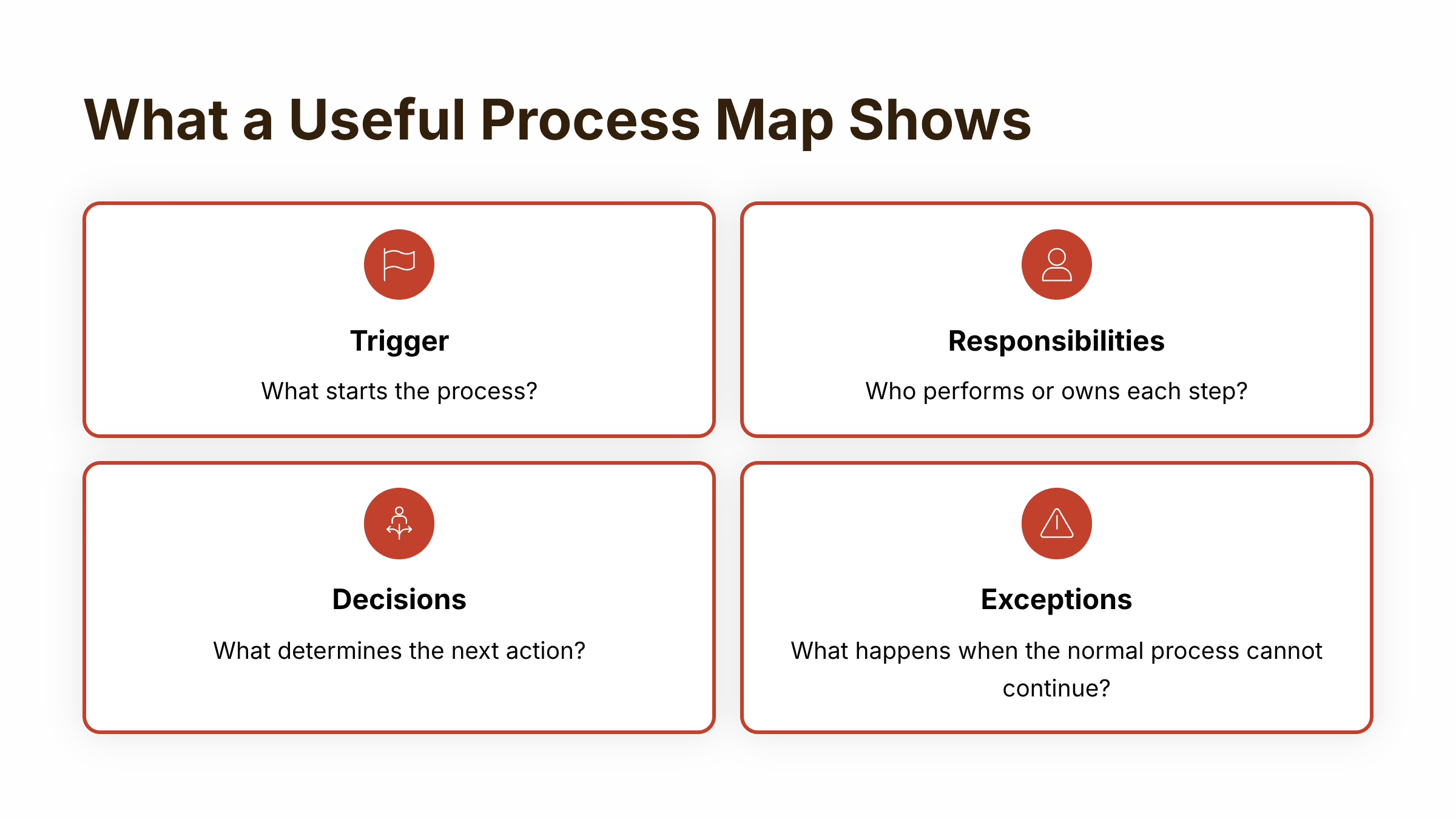
A useful process map identifies:
- Trigger: What starts the process?
- Activities: What tasks need to be completed?
- Responsibilities: Who performs, reviews, or approves each task?
- Handoffs: When does responsibility move from one person or team to another?
- Information: Which documents, records, or systems are required?
- Decisions: What determines which path the process follows?
- Exceptions: What happens when something is missing, rejected, or outside the normal procedure?
- Outcome: What must happen for the process to be considered complete?
A map might cover an entire customer onboarding process or a single problematic approval step.
The right level of detail depends on the problem you’re trying to solve.
Which process-mapping format should you use?
Choose the format that makes the problem easier to understand. You do not need the most detailed diagram. You need enough detail to show the steps, decisions, responsibilities and handoffs that matter.
| Format | Use it when | What it helps you see |
|---|---|---|
| Basic flowchart | The process follows a relatively simple sequence | Activities, decision points and alternate paths |
| Swimlane diagram | Several people, roles or departments participate | Who performs each step and where responsibility changes hands |
| Value-stream map | You need to examine the end-to-end flow and where time or effort is lost | Material and information flow, queues, waiting, processing time and opportunities to improve the whole flow |
| Detailed process model | The team needs to analyze, redesign or manage a complex process | More structured detail about activities, roles, rules, system interactions and variations |
A detailed process model is related to a process map, but it is not simply a more elaborate flowchart. Use one when the team needs structured detail about roles, rules, interactions and variations. A value-stream map is broader than a detailed map of one task. The Lean Enterprise Institute’s explanation of value-stream mapping describes how it follows material and information flows and compares the current state with a future state.
Start with a simple flow. Add swimlanes when ownership or handoffs are unclear. Use value-stream mapping when the problem spans the wider flow rather than one isolated activity. Add more detail only when it helps the team make a decision.
Continue learning
For a visual introduction, watch How to Create a Simple Process Map (With Examples) by Adriana Girdler.
For a deeper look at end-to-end improvement, see Gemba Academy’s Learn How Value Stream Mapping Applies to Any Industry or Process.
Why is process mapping important?
Business processes often extend across employees, departments, applications, spreadsheets, email, and shared folders.
That creates opportunities for important work to become invisible.
Consider a team responsible for collecting documents before a customer request can proceed.
One employee requests the documents. Another checks the shared inbox. A reviewer determines whether the documents meet the requirements. A specialist needs the completed package before beginning the next stage.
Each person may perform their responsibilities correctly while the overall process remains inefficient.
For example:
- Nobody knows who should follow up on a missing document.
- Two employees request the same information.
- A document arrives, but its status isn’t updated.
- A reviewer rejects a document without recording why.
- A specialist receives a package before it is actually ready.
- A request sits idle because the next action isn’t assigned.
A process map makes these relationships easier to examine.
It can help teams identify unnecessary work, clarify accountability, investigate delays, and determine whether existing procedures or systems need improvement.
The map itself doesn’t reduce costs, accelerate approvals, or improve performance. Those benefits depend on what the team discovers, changes, implements, and measures.
Step 1: Choose one process and define its boundaries
Don’t start by trying to map every activity in your department.
Start with one manageable process and one question.
For example:
How does our team determine whether a customer’s document package is ready for review?
Then define:
- Starting point: A request is received.
- Ending point: A complete, accepted package is handed to the specialist.
- Purpose: Understand why packages are delayed or sent back for correction.
These boundaries help prevent the exercise from expanding into every related process.
You can always expand the map if you discover an important dependency.
Step 2: Talk to the people who perform the work
A process map built only from a manager’s description may capture how the process is supposed to work.
That isn’t necessarily how it works in practice.
Include the people who perform the tasks, receive the handoffs, review information, and handle exceptions.
Ask them to walk through a recent example, using authorized or sanitized information where necessary.
Useful questions include:
- What tells you it’s time to begin?
- What information must be available before you can act?
- Which system or document do you use?
- What happens when information is missing?
- Who receives your completed work?
- How do they know it’s ready?
- What causes delays or additional review?
- Which tasks do you perform outside the main business system?
- How do you know the process is finished?
Pay particular attention to workarounds.
If employees maintain a spreadsheet even though the company uses Salesforce, don’t immediately assume the spreadsheet is unnecessary.
It may contain information employees cannot easily find in Salesforce. It might compensate for an unreliable status field or help someone track work that the existing system doesn’t represent.
Understand the reason before deciding what should change.
Step 3: Document the current process
A current-state process map describes how work happens today.
It isn’t a proposal for how the process should work. That comes later.
Start with the normal sequence of activities. Then add decision points, alternate paths, and important exceptions.
For each activity, record who performs it, what information they need, which system or location they use, and what happens next.
You don’t need to document every screen or mouse click. Include enough detail to make responsibilities, dependencies, and decisions understandable.
Example: Mapping a document-intake process
Imagine a service team responsible for preparing customer documents for specialist review.
This is a fictional example designed to illustrate the mapping method.
| Step | Owner | What happens |
|---|---|---|
| Receive request | Intake coordinator | Creates the request record and determines required documents |
| Request documents | Intake coordinator | Sends the requester the document checklist |
| Record receipt | Intake coordinator | Records arriving files and where they are stored |
| Check completeness | Intake coordinator | Identifies missing required items and follows up |
| Review documents | Reviewer | Determines whether received documents meet established criteria |
| Resolve corrections | Coordinator and reviewer | Requests corrected documents and repeats the relevant checks |
| Hand off package | Intake coordinator | Notifies the specialist after review acceptance and records the handoff |
The map should also show the decisions that control when work can move forward.
Example process flow
The flow below illustrates the normal path and its important exceptions.
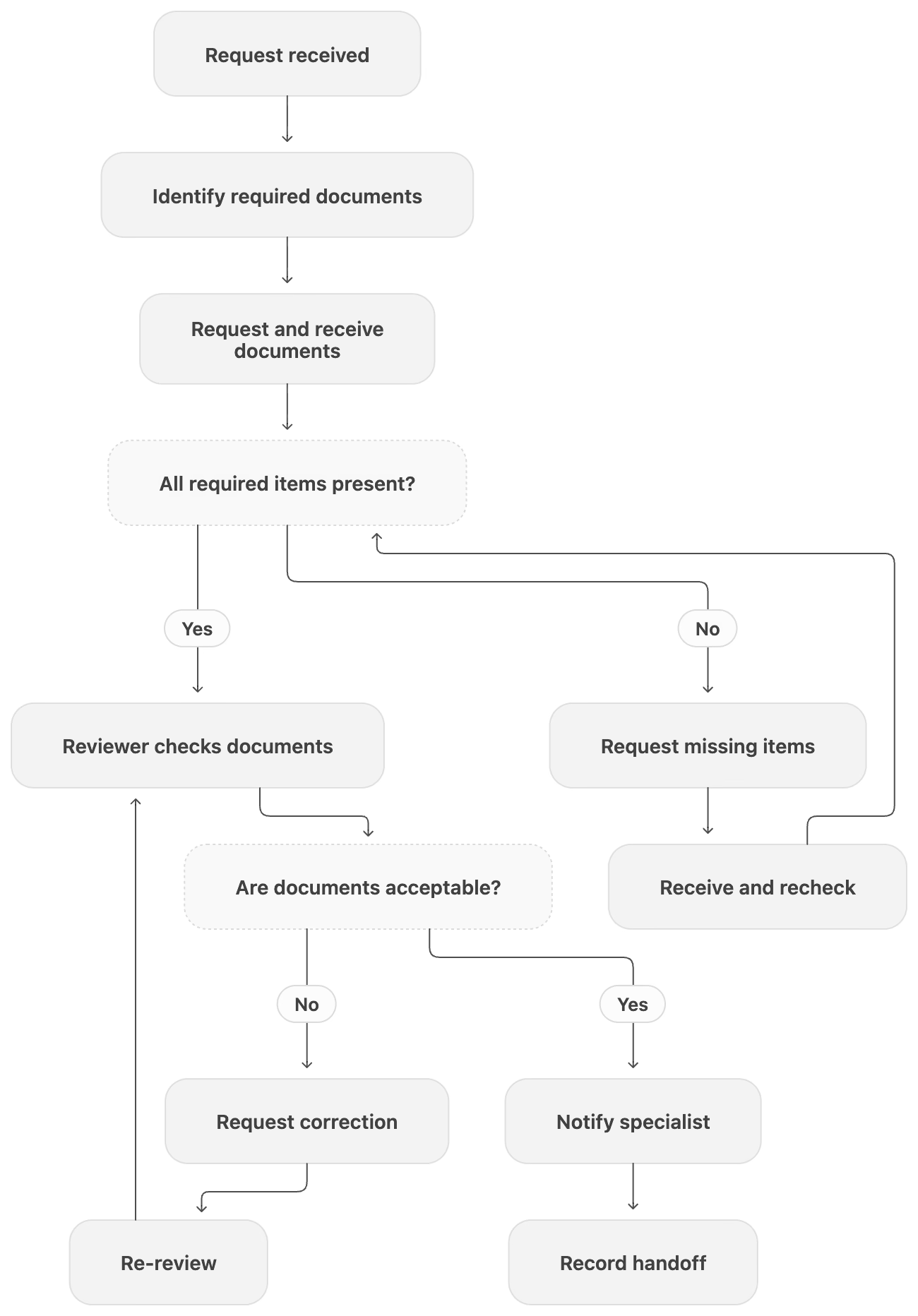
The diagram illustrates two separate checks: whether all required documents have been received and whether they meet the acceptance criteria. In text, the flow works like this:
- Receive the request and identify which documents are required.
- Check completeness. If required items are missing, request them, receive the new material and repeat the completeness check. If all required items are present, send the package to the reviewer.
- Review the documents against the acceptance criteria. If a document is not acceptable, request a correction and repeat the relevant review. If the documents are accepted, notify the specialist and record the handoff.
The important distinction is that receiving a document is not the same as accepting it.
A document can be present but incomplete, outdated, invalid, or unsuitable for the next stage.
If both situations are represented by a single status, employees may believe the package is ready when more work remains.
A process map helps the team identify that distinction before it creates downstream problems.
Step 4: Identify handoffs, delays, and exceptions
Once the current-state map is drafted, examine where work becomes difficult.
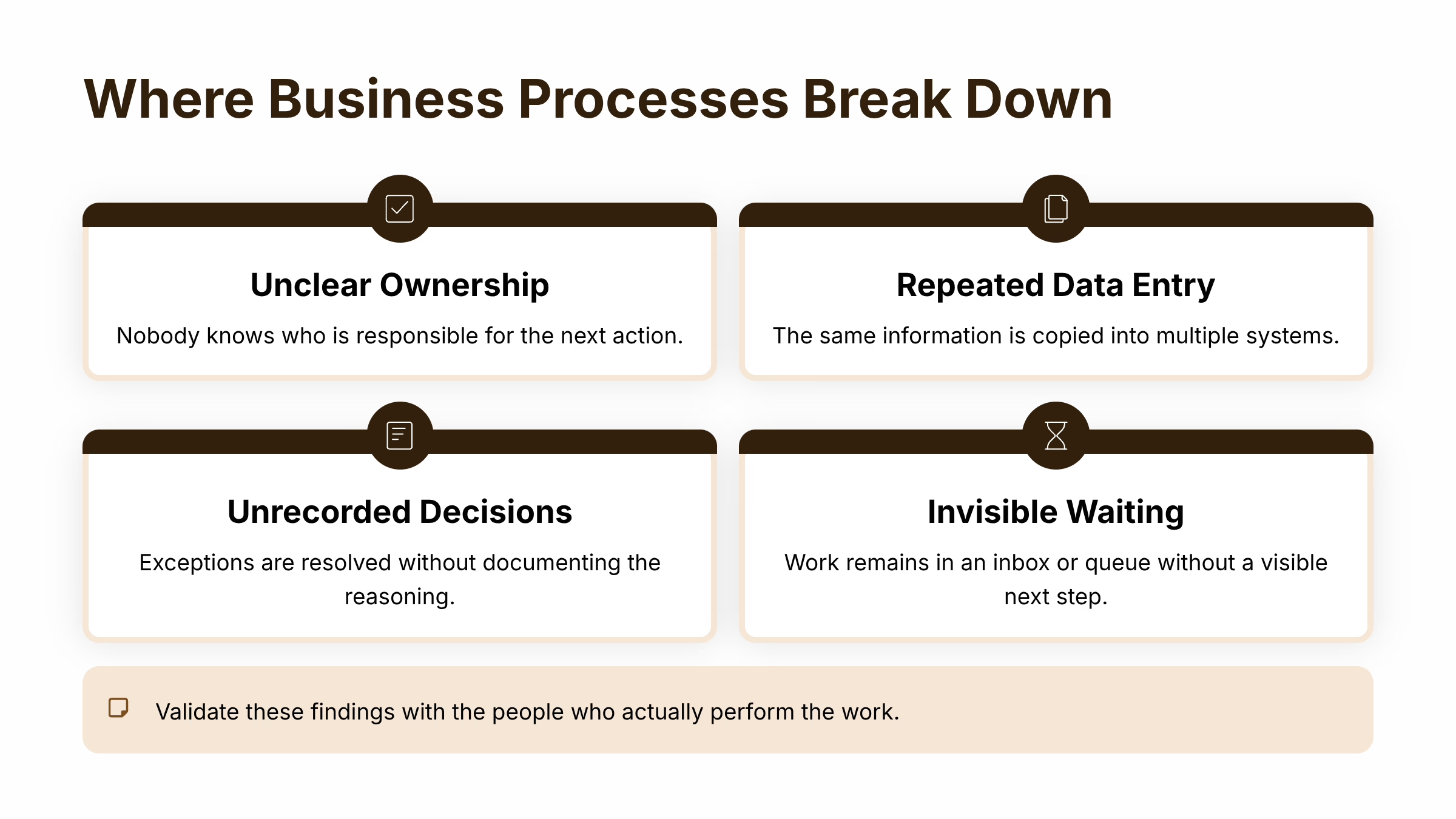
Look for:
Unclear responsibility. Nobody knows who owns the next action.
Repeated entry. Employees copy the same information into multiple systems.
Missing information. A request advances before the receiving person has what they need.
Unrecorded decisions. An exception gets resolved in a conversation, but the reasoning isn’t captured.
Invisible waiting. Work sits in someone’s inbox with no visible owner or next action.
Unnecessary complexity. Tasks or approvals continue even though their original purpose may no longer apply.
Be careful with that last category.
An apparent duplicate check might actually serve two different purposes. One employee may confirm that a document was received, while another verifies that it meets business requirements.
Removing a legitimate review could create more problems than it solves.
The goal is to determine why each step exists, what value it provides, and whether a better approach is possible.
A process map identifies where to investigate. It doesn’t independently prove the root cause of a problem.
Step 5: Validate the map with the team
Before designing improvements, review the diagram with the people responsible for the work.
Ask:
- Does this show what usually happens?
- Are responsibilities assigned correctly?
- Which exceptions have we missed?
- Does the map distinguish receipt, review, and approval where necessary?
- What happens when the assigned employee is unavailable?
- Which assumptions still need to be verified?
Resolve disagreements by examining actual examples and the relevant business rules.
If a point remains uncertain, mark it as unverified rather than forcing agreement.
A process map is useful only when the people who depend on it recognize the work it represents.
Step 6: Design the future-state process
Now you can consider how the work should change.
For the document-intake example, the team might propose:
- Maintaining one approved list of required documents.
- Assigning a clear owner for each open request.
- Separating document receipt, review, acceptance, and correction statuses.
- Recording why a document requires correction.
- Making the next action and responsible person visible.
- Establishing what must be true before the package advances.
These are business-process decisions.
They don’t automatically require new software.
Some improvements may involve clearer responsibilities, a better checklist, or a change to an existing procedure.
Others may justify Salesforce configuration, workflow automation, integration, or additional capabilities.
Define the business requirement before choosing the technology.
For example, “Automatically notify someone when a document arrives” is not a complete requirement.
Who needs the notification? What event triggers it? Does receipt mean the document is ready? What happens if it is rejected? Who handles the exception?
The map helps answer these questions before anyone starts building.
Step 7: Turn the map into an improvement plan
A finished diagram should lead to a decision.
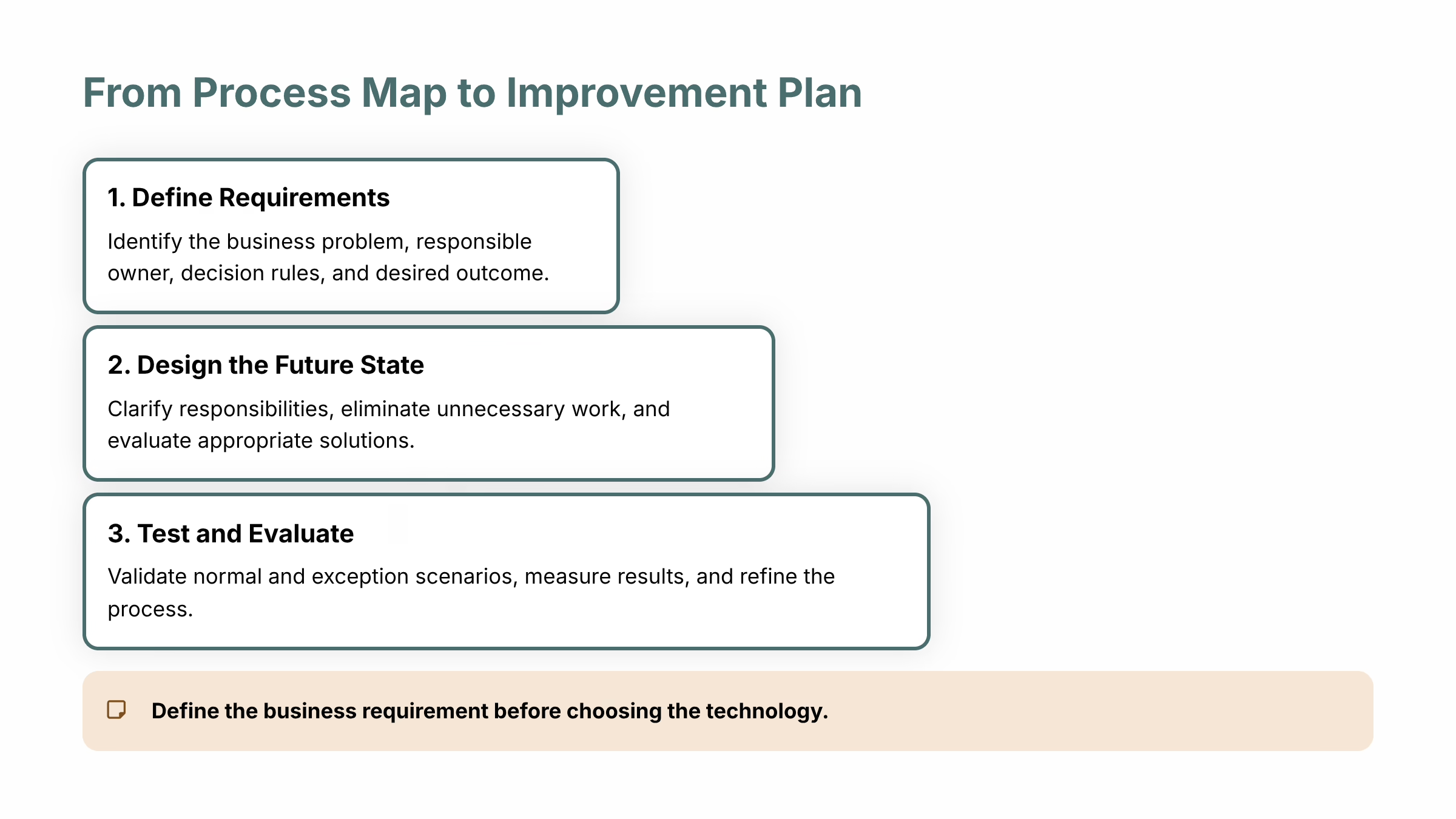
For each proposed improvement, identify:
| Question | Example |
|---|---|
| What problem are we addressing? | Packages advance before required documents are accepted |
| What needs to change? | Separate receipt and acceptance statuses |
| Who is accountable? | Operations process owner |
| What must be defined? | Review criteria and rules for moving to the next stage |
| How will we test it? | Check accepted, missing, rejected, and corrected document scenarios |
| How will we evaluate the result? | Review premature handoffs, correction cycles, and time waiting for action |
Not every improvement needs to be implemented immediately.
Prioritize the changes that address meaningful problems, can be supported by the organization, and justify their effort and cost.
Before deploying a new workflow, test the normal process and important exceptions. Confirm that employees understand their responsibilities and can use the updated procedure or system.
After implementation, review whether the change actually improved the work.
A real example: Understanding work behind the status
In Brainiate’s work with a hospice provider, referral information and follow-up responsibilities were spread across spreadsheets, emails, and notes.
We worked with employees to understand how referrals were handled and helped make ownership and next actions visible in Salesforce.
The relevant lesson is the importance of investigating how work actually happens before deciding what needs to change.
This is not a claim that drawing a process map independently produced the outcome.
Read the related case study: How a hospice team made referral ownership and follow-up more visible.
What tools should you use for process mapping?
Start with a tool your team can easily understand, review, and maintain.
A whiteboard, sticky notes, a shared document, or a diagramming application can all work.
For processes involving several roles, a swimlane diagram can be particularly helpful. Each lane represents a role or team, making responsibilities and handoffs easier to follow. For a Salesforce-focused introduction, see Salesforce Trailhead’s Process Mapping for Business Analysts module.
Lucidchart is one diagramming option. It can also import a Salesforce schema to create an entity-relationship diagram (ERD) of a Salesforce instance. Lucid’s current documentation says this Salesforce schema-import feature is available only on Enterprise accounts and is not available in FedRAMP environments. An ERD shows data objects and their relationships; it is not a substitute for a business process map showing people, tasks, decisions and handoffs. See Lucid’s instructions for importing a Salesforce schema into an ERD. For a demonstration of creating swimlanes, see Lucid Software’s swimlane diagram tutorial.
You don’t need those integrations to create a useful business process map.
Choose a tool based on whether the people doing the work can review the diagram, understand the decisions, and keep the current version accessible.
What should you do with a completed process map?
A process map isn’t finished just because the diagram looks complete.
Give it an owner. Store it somewhere employees can find it. Review it when responsibilities, systems, or business rules change.
Most importantly, use it.
Identify one problem worth investigating. Confirm its cause. Agree on a practical improvement. Assign responsibility. Test the change and evaluate what happened.
You don’t need to map every process in your organization.
Start with one that creates unnecessary delays, repeated work, unclear responsibilities, or preventable mistakes.
Talk to the people involved, document what you learn, and use the map to make a better decision.
Related reading: If you’re preparing a CRM initiative, see Why Process Maps Are Critical for Successful Salesforce Projects.
When Document Workflows Get in the Way.
If your team spends too much time chasing documents, managing approvals, or working around disconnected systems, Brainiate can help. We work alongside your employees to identify practical improvements and put them into action.